Helping students understand their own progress
Redesigning how progress and results are shown in an educational simulation game.
Case Study
Comcast NBCUniversal
Introduction
BUILD’s FamBiz CEO Simulation Game, it’s a free and educator-led entrepreneurship simulation game for students in grades 7-12. I joined as UX/UI Designer on a small cross-functional team: one PM, two engineers, and a 2D artist, and led direct conversations with stakeholders.
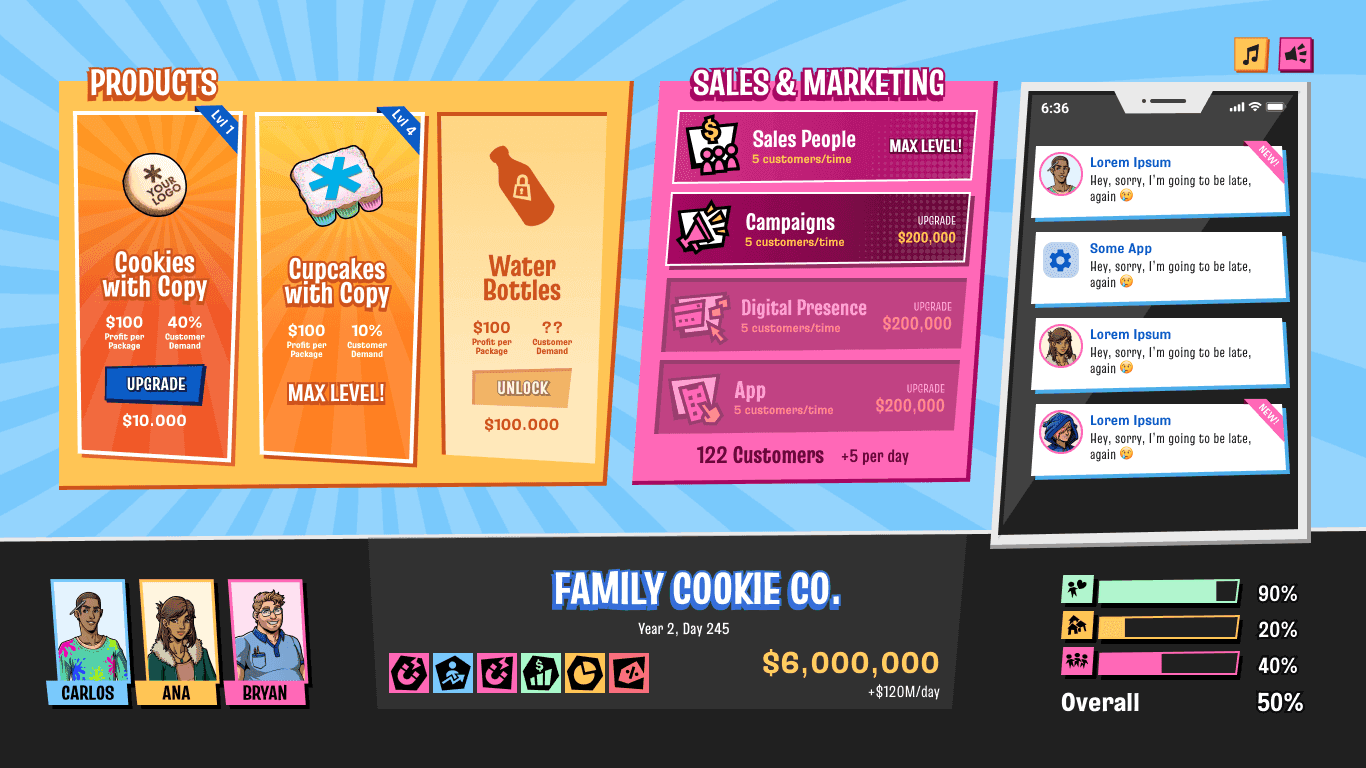
It’s part idle strategy game, part narrative RPG. You grow and manage your Cookie Factory through a dashboard, but the real challenge comes from conversations and decisions with characters, which can positively or negatively impact your stats and progression.
The Problem
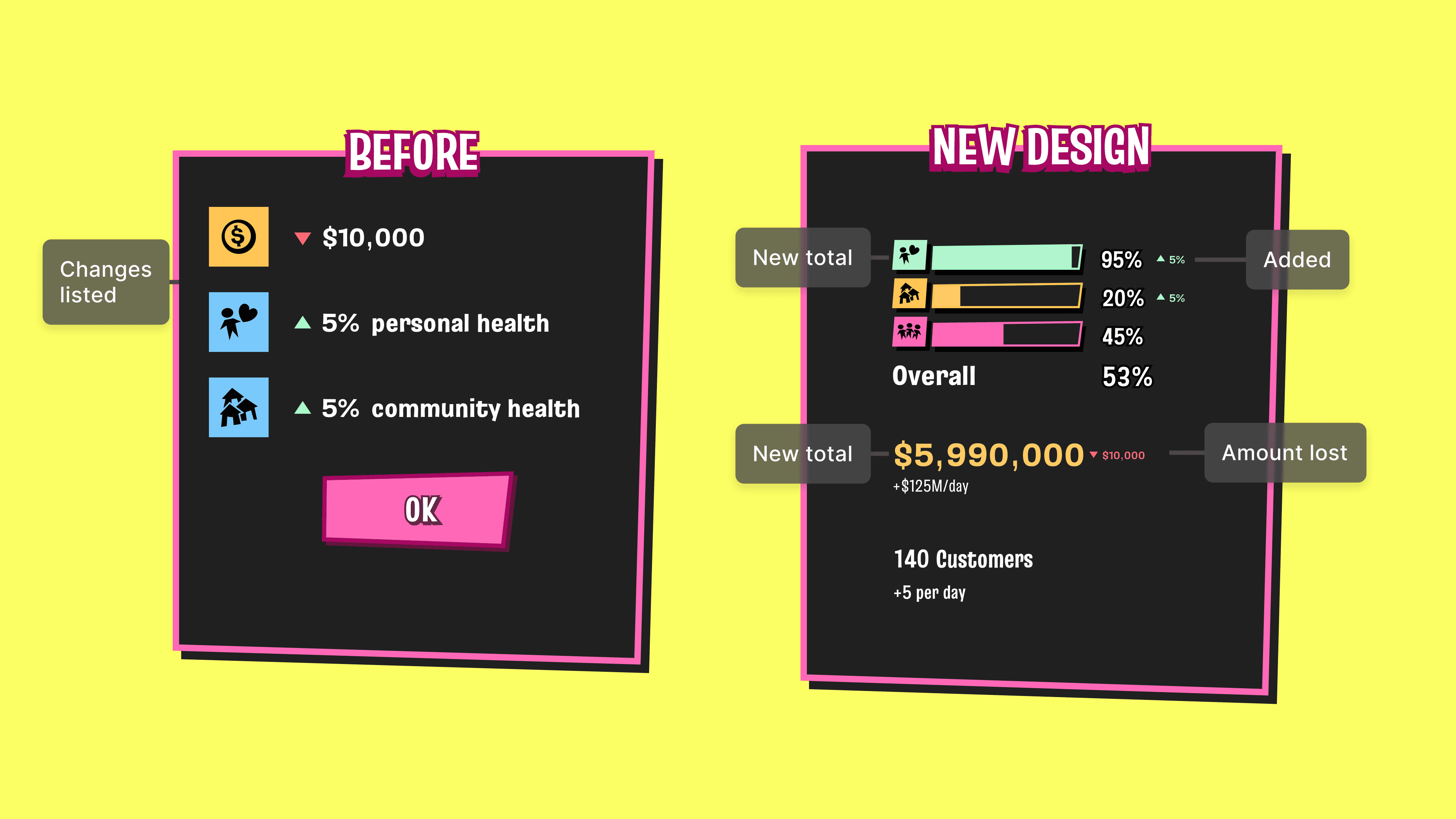
How players' decisions affect their game was displayed in a classic Results screen before going back to the Dashboard. Teachers testing the game in class flagged more questions and doubts around that screen.
Students couldn't see the Results and their current Stats at the same time, this made keeping track of how their choices impacted the stats demand memory, which added mental load in a place that wasn't necessary.
The Solution
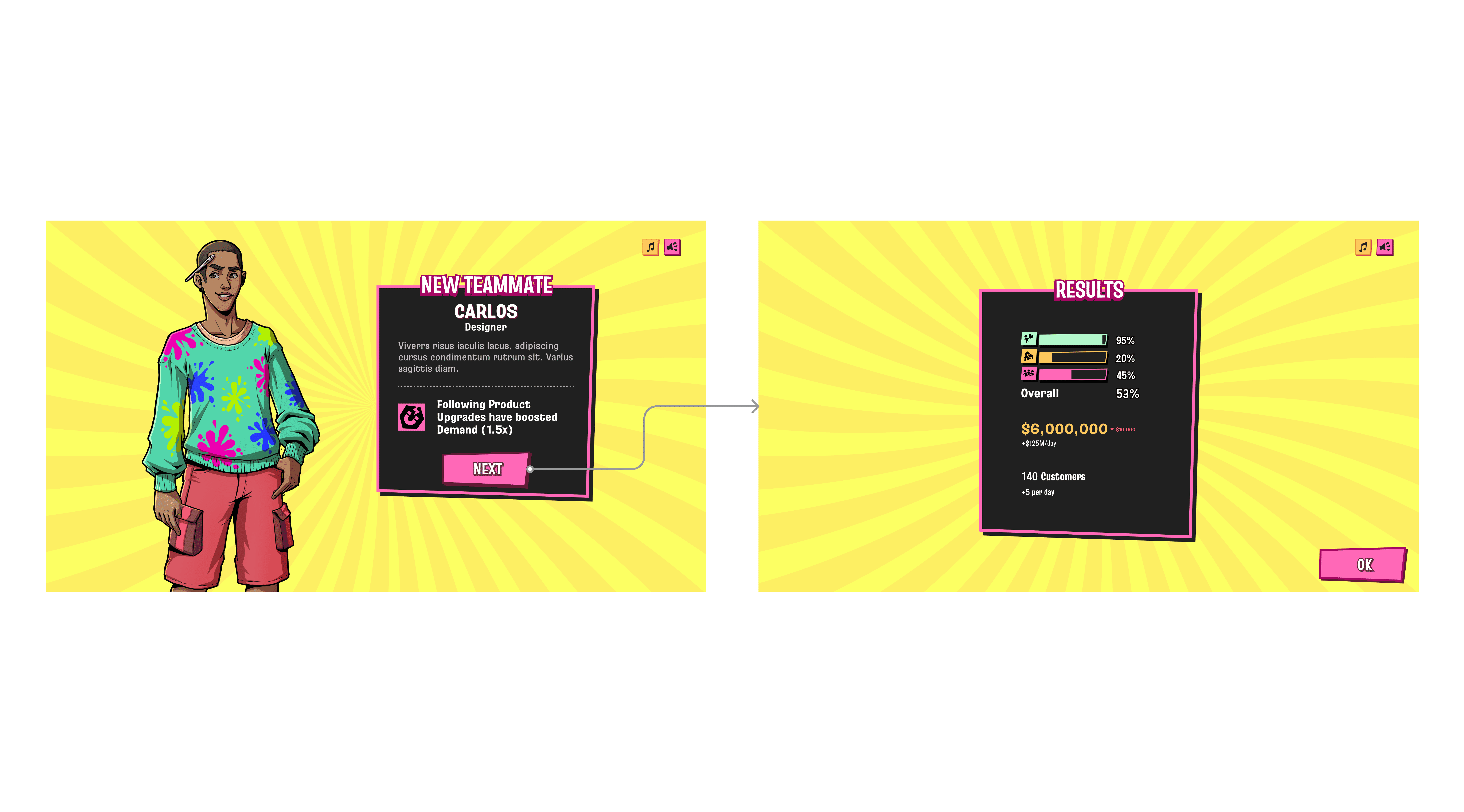
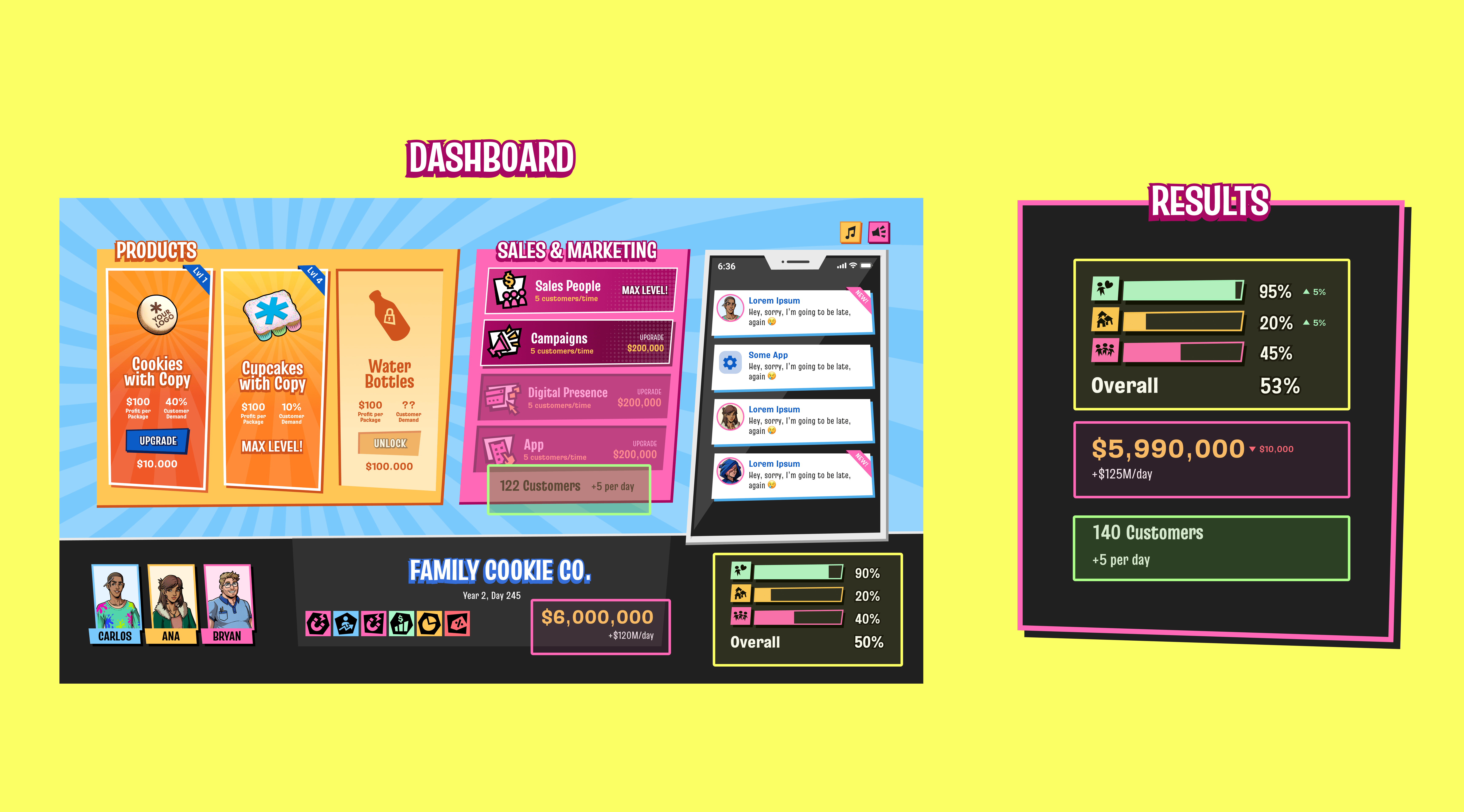
I related the Results UI to how students see their stats in the Dashboard. Instead of seeing isolated information, for example "-$100", they can see their current total and how it changes as it is affected by the results.
Tooltips on hover, for stats on both the Dashboard and Results, to help players incorporate the concepts as they play.
Two step results for cases where they also add teammates or power-ups, which don't affect the stats directly at that moment.
Results
The new design had a positive impact on students. Teachers reported fewer questions and a better understanding of the outcomes of their actions.
It is very interesting to work on an educational game as both a Designer and an Educator. The challenge is finding the balance between an intuitive experience that remains fun while still being challenging enough to allow learning.